 KimmerLabs
Kimmer Viewer and Kimmer Economics
All your mine data, in one scene.
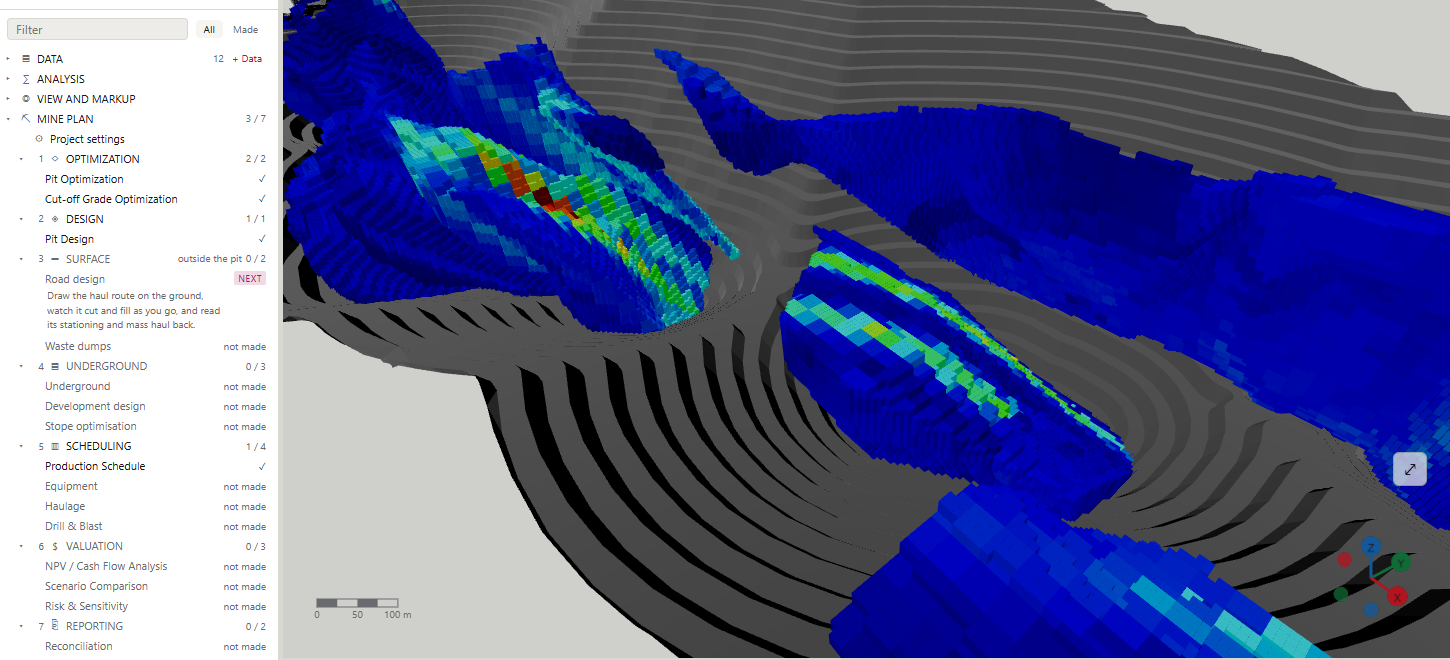
Kimmer Viewer opens drillholes, block models, surfaces and point clouds from other software in one scene, without conversion. Kimmer Economics contains every Viewer tool and, in the same scene, designs the pit, schedules production and values it.
What it does
The tools of Kimmer Viewer. Kimmer Economics includes all of them.
- One 3D sceneDrillholes, block models, wireframes, terrain and point clouds together; clip planes, measurements, drawings and notes.
- Files from other softwareOpens Datamine, Surpac, Micromine, Deswik and OMF files without conversion.
- StatisticsDistributions and swath plots.
- QA/QCStandards, blanks and duplicates, with an Excel or PDF report.
- Resource reportWith a grade-tonnage curve, split into measured, indicated and inferred when the model carries a classification.
- Surfaces from pointsBuilds a surface from point data.
Kimmer Economics
From the block model to the final pit and the production plan.
Kimmer Economics adds the planning tools to everything in the Viewer.
- Pit optimisationThe final pit limit, nested shells and pushbacks.
- Cut-off gradeCut-off grade optimisation.
- Pit designWith benches, berms and a haul ramp; exported as DXF.
- Production scheduleEnd-of-period pits, equipment, haulage, drill and blast.
- Value and riskNPV, IRR, scenarios, sensitivity and Monte Carlo.
- The rest of the siteTurkish state royalty, reconciliation, roads, waste dumps, underground and stope optimisation.
What it opens
CSV TXT XLSX Datamine Surpac Micromine Deswik OMF DXF OBJ STL VTK Shapefile MapInfo GeoTIFF LAS LAZ XYZ LandXML
Datamine block models, wireframes, drillholes and points; Surpac .dtm and .str; Micromine .dat; Deswik strings; LAS and LAZ as point clouds.
What it produces
Kimmer Viewer: project file, interactive 3D scene (HTML), STL, screenshots, QA/QC and resource reports (XLSX, PDF). Kimmer Economics adds: DXF (shells, benches, ramp, roads, underground), schedule and life-of-mine plan (XLSX), block model (CSV, Datamine), OMF, scaled PDF plots.
Requirements
Windows 10 and 11 (64-bit), installed with KimmerHub, no administrator rights needed. Interface in English and Turkish. Viewer and Economics install as two separate applications.
What you can ask Kimmer AI here
Tell the application what you need: the AI assistant opens the data, runs the calculation and prepares the output. If you prefer, connect your own AI assistant.
Look through my block model, build the resource table by class and export the report.
Kimmer ViewerWith my prices and costs, find the most profitable pit limit, calculate its net present value and price sensitivity, and give me the pit as DXF.
Kimmer EconomicsShow how the pit design responds to price and run a thousand-scenario distribution of its value.
Kimmer Economics
Try it on your own data
We open a time-limited demo licence for you and, if you like, set up the first project together.
Request a demo licence- info@kimmerlabs.com
- +90 212 956 56 56