 KimmerLabs
Kimmer Estima
From drillhole data to the geological model and the resource.
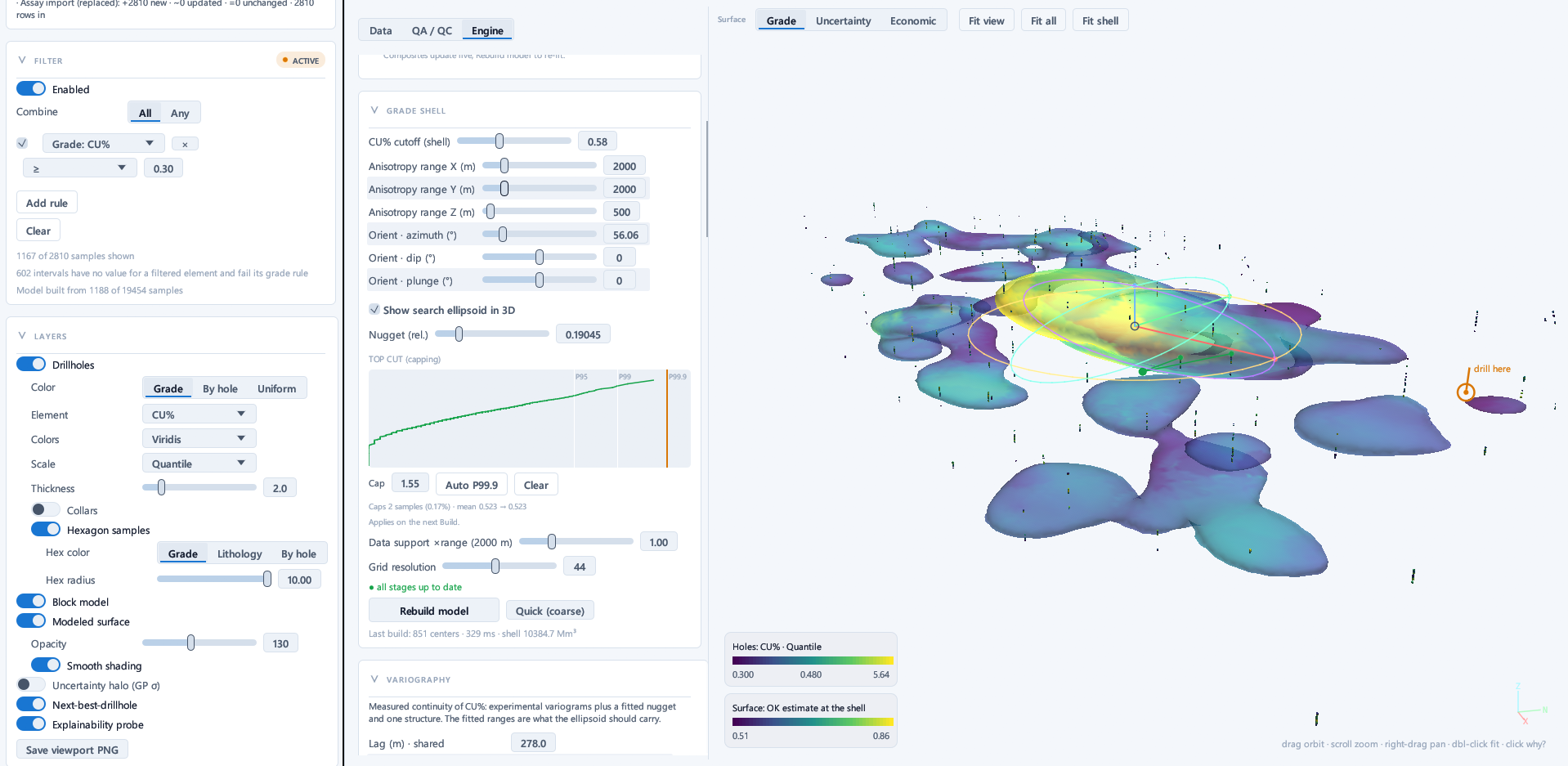
Kimmer Estima takes your drillhole, sample and assay data, builds the geological model, estimates grades into the block model, classifies the resource and produces the grade-tonnage report. Every step is on record, so you can always show which data and settings produced a result.
What it does
The path from drillholes to a resource is fast and traceable: you can show where every number came from.
- A model without drawing sectionsThe geological model and grade shells are built straight from the drillhole data, with no section-by-section digitising. Change the cut-off and the shell redraws at once.
- Uncertainty you can seeWhere the model is sure and where it is not shows on the shell; colour the shell by grade, uncertainty or economic value.
- A reason for every numberClick any point to see which drillholes produced that estimate, and with what weight.
- Suggestions, with your approvalSuggests orientations, domains and the next drillhole location, says what each suggestion rests on, and applies none of them without your approval.
- Ready for reviewEvery estimate goes into a record that cannot be changed, and no class is given where the evidence falls short. Prepares an evidence pack and a cross-validation report for the independent reviewer.
- Your data stays with youThe calculation runs on your computer; grade data is never sent to our servers.
What it opens
CSV TXT XLSX XLS XLSM OBJ DXF XYZ
Tables with column mapping; wireframes as OBJ and DXF; terrain as an ESRI ASCII grid or XYZ.
What it produces
Block model (CSV), OBJ and DXF wireframes, images of views, sections and fence diagrams (PNG), grade-tonnage tables and an evidence pack for review.
Requirements
Windows 10 and 11 (64-bit), installed with KimmerHub. Interface in English and Turkish.
What you can ask Kimmer AI here
Tell the application what you need: the AI assistant opens the data, runs the calculation and prepares the output. If you prefer, connect your own AI assistant.
Check the quality of the drilling data, estimate grades into the block model, classify the resource and produce the grade-tonnage report.
Kimmer EstimaClassify the resource, produce the grade-tonnage report and export the evidence pack for review.
Kimmer Estima
Try it on your own data
We open a time-limited demo licence for you and, if you like, set up the first project together.
Request a demo licence- info@kimmerlabs.com
- +90 212 956 56 56